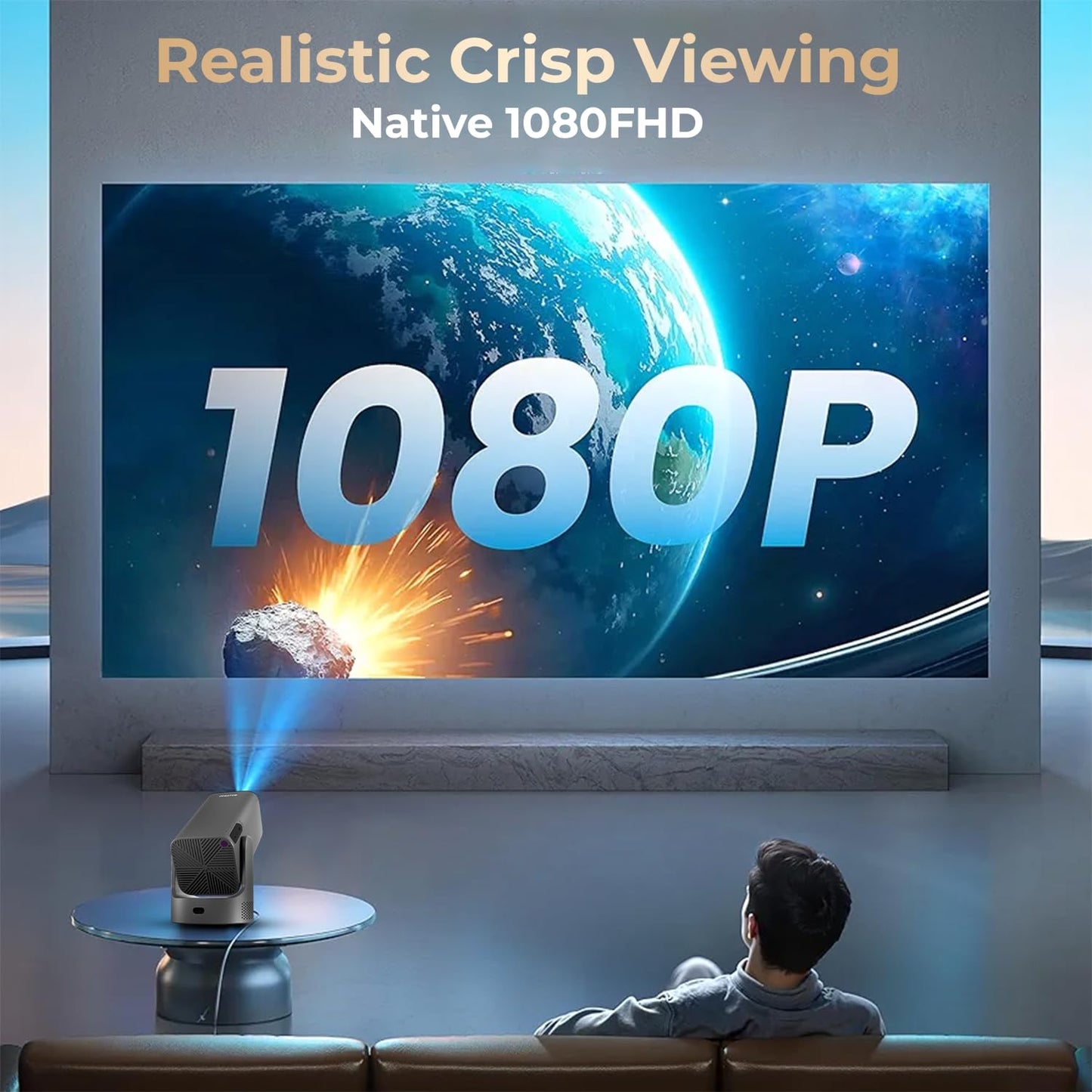
WZATCO Yuva Go Plus – The Smartest Way To Turn Any Room Into A Home Theatre
Home entertainment has changed. People no longer want bulky projectors, complicated setups, or washed-out images. They want something compact, powerful, easy to use, and smart enough to replace a TV without the limitations of a TV.
The WZATCO Yuva Go Plus is built exactly for that. It brings together native Full HD clarity, 4K decoding, a rotatable body, the latest Android 13, advanced WiFi 6 for faster streaming, precise auto keystone, and a compact design that blends into any space.
It isn’t just a projector. It’s a portable theatre, a gaming screen, a study companion, and a complete entertainment hub that fits in your hand.
A Clear Step Up From Entry-Level Projectors
Most budget projectors struggle with brightness, clarity, software glitches, or lag while mirroring. This model fixes those weak points with a much more refined package:
-
9000 Lumens brightness
-
Native 1080p resolution (not fake “supported” claims)
-
4K decoding for high-quality streaming
-
Android 13 OS with certified apps
-
Amlogic T950S chipset for smooth performance
-
Dual-band WiFi 6
-
Bluetooth 5.0
-
Auto ±40° keystone
-
180-degree rotatable design
-
Built-in stereo speakers
-
Up to 300-inch projection size
This gives it a serious edge over typical entry models that stop at 720p and weak brightness.
1. Picture Quality That Actually Looks Like Full HD
Many projectors advertise “Full HD support,” but the internal panel is only 480p or 720p. That’s why videos look soft and pixelated.
The Yuva Go Plus uses a true 1080p native panel, delivering sharper text, crisp textures, and cleaner edges. You’ll notice the difference instantly, especially in:
-
Movie subtitles
-
Game menus
-
Presentation slides
-
Sports
-
Documentaries
-
Animated content
It also supports 4K decoding, so even high-resolution content from Prime Video or YouTube plays smoothly without lag or frame drops.
You get a picture that looks clean and detailed without needing a pitch-black room.
2. Brightness You Can Actually Use During the Day
The 9000 lumens rating helps deliver better brightness compared to older models. While no projector can fight direct sunlight, the Yuva Go Plus performs well in:
Colors stay vivid, and the contrast remains stable enough for casual daytime use. For movies at night, the experience becomes fully immersive.
3. Android 13.0 – Fast, Clean, and Fully Loaded
The heart of the projector is the updated Android 13.0 Smart OS, which delivers:
You get built-in apps such as:
-
Netflix
-
Prime Video
-
YouTube
-
Hotstar
-
Zee5
-
Sony LIV
-
JioCinema
No dongle required, no buffering issues, no sideloading headaches.
The Amlogic T950S chipset ensures everything runs smoothly without lag. Performance is noticeably better than old Android 9–10 projectors.
4. 180-Degree Rotatable Design – Use It Anywhere Without Stress
This is one of the smartest features on the device. The projector rotates, so you can direct the projection:
No need for a stand, no stacking books, no complicated tripod setup. Rotate, adjust once, and start watching.
This design makes it perfect for:
It gives the Yuva Go Plus a versatility that most projectors simply don’t offer.
5. Auto Keystone Makes Setup Fast
Most budget projectors require manual alignment:
-
Fix the angle
-
Fix the tilt
-
Fix the distortion
-
Try again
-
Repeat
-
Waste time
This one uses Auto ±40° vertical keystone, so it fixes the image shape by itself. You get a rectangular, straight picture even if the projector is placed:
-
Off-center
-
On a small table
-
On a shelf
-
On the floor
-
At an angle
-
Near the bed
For beginners or frequent movers, this saves a lot of trouble.
6. Next-Gen WiFi 6 + Bluetooth 5.0 = Faster, Stable, and Future-Ready
Connectivity is a major problem in cheaper projectors. Laggy mirroring and poor WiFi kill the experience. The Yuva Go Plus avoids that with:
You can connect:
-
Bluetooth speakers
-
Soundbars
-
Wireless headphones
-
Game controllers
-
Keyboards
-
Mice
Screen mirroring works well with:
-
Android phones
-
iPhones
-
Windows
-
Macs
You get reliable performance without the usual interruptions.
7. ARC Support – Better Audio Without Extra Complications
If you want bigger sound without technical headaches, ARC helps a lot.
ARC (Audio Return Channel) allows the projector to send audio directly to a compatible soundbar or AVR using the same HDMI cable. No extra cables needed. It feels like using a modern smart TV, just more flexible.
The built-in speaker is decent for casual viewing, but ARC gives you room to upgrade your sound setup easily.
8. Projection Size Up to 300 Inches
If you have the space, the screen can go massive. At its best, you can enjoy:
Great for:
It can replace a TV completely if you have a suitable wall.
9. Built-In Stereo Speakers for Everyday Use
The speakers inside the projector are good enough for:
-
Dialog-heavy content
-
YouTube videos
-
Kids shows
-
Casual movie watching
-
Small rooms
For serious cinema sound, connect a Bluetooth speaker or soundbar.
But for daily use, the inbuilt audio does the job without forcing you to buy extra accessories.
10. Designed for Home, Education, Gaming, and Work
This projector is not just for movies. Its feature set makes it suitable for multiple scenarios:
Home Entertainment
-
Movies
-
OTT series
-
Sports
-
Music videos
-
Family functions
-
Kids cartoons
Education
-
Online classes
-
Smart classroom projection
-
BYJU’s, Vedantu, Unacademy
-
Document viewing
Gaming
The low input lag helps with casual gaming.
Work
-
Presentations
-
Reports
-
Meetings
-
Live demonstrations
-
Small office displays
A compact powerhouse that adapts to different needs effortlessly.
11. Build Quality That Feels Premium
Most low-cost projectors use cheap plastic and have heating issues. This one feels more refined with:
The compact footprint makes it travel-friendly too.
12. Easy To Install, Easy To Use
You don’t need a technician. You don’t need complicated manuals. Setup takes a few minutes:
-
Place it on a table or mount it on the ceiling.
-
Power it on.
-
Auto keystone kicks in.
-
Connect WiFi.
-
Open your apps.
-
Start watching.
It works like a smart TV, only much larger and more flexible.
13. Long Lamp Life
LED projectors usually last longer than traditional lamp projectors. The Yuva Go Plus offers thousands of hours of LED life, meaning:
Just plug and play for the long term.
14. Why Choose It Over the Yuva Go or Yuva Go Pro?
Here’s a simplified comparison based on your table:
| Model |
Resolution |
Brightness |
Keystone |
Focus |
Price |
| Yuva Go |
Native 720p |
9000 Lumens |
Auto Vertical |
Manual |
₹5,990 |
| Yuva Go Plus |
Native 1080p |
9000 Lumens |
Auto Vertical |
Manual |
₹7,350 |
| Yuva Go Pro |
Native 1080p |
12000 Lumens |
Auto Vertical |
Manual |
₹9,990 |
| Yuva Go Pro Automatic |
Native 1080p |
12000 Lumens |
Auto Vertical + Horizontal |
Auto |
₹11,990 |
Why the Plus version makes sense:
-
Huge jump from 720p to 1080p
-
Bright enough for home use
-
Much better picture quality
-
Android 13 and WiFi 6 included
-
Best value for money in the lineup
-
Same projection size as more expensive models
If you want performance without overspending, this is the sweet spot.
15. Who Should Buy the Yuva Go Plus?
This projector makes sense for people who want:
-
A home theatre without spending on a TV
-
A smart projector with built-in apps
-
A compact device for small rooms
-
A projector that rotates for ceiling viewing
-
A model that works well for movies, classes, and general use
-
True Full HD without fake marketing
-
A budget-friendly entertainment upgrade
It’s ideal for:
-
Students
-
Working professionals
-
Families
-
Kids
-
Renters
-
Small offices
-
Teachers
-
Travelers
Anyone looking for flexible entertainment.